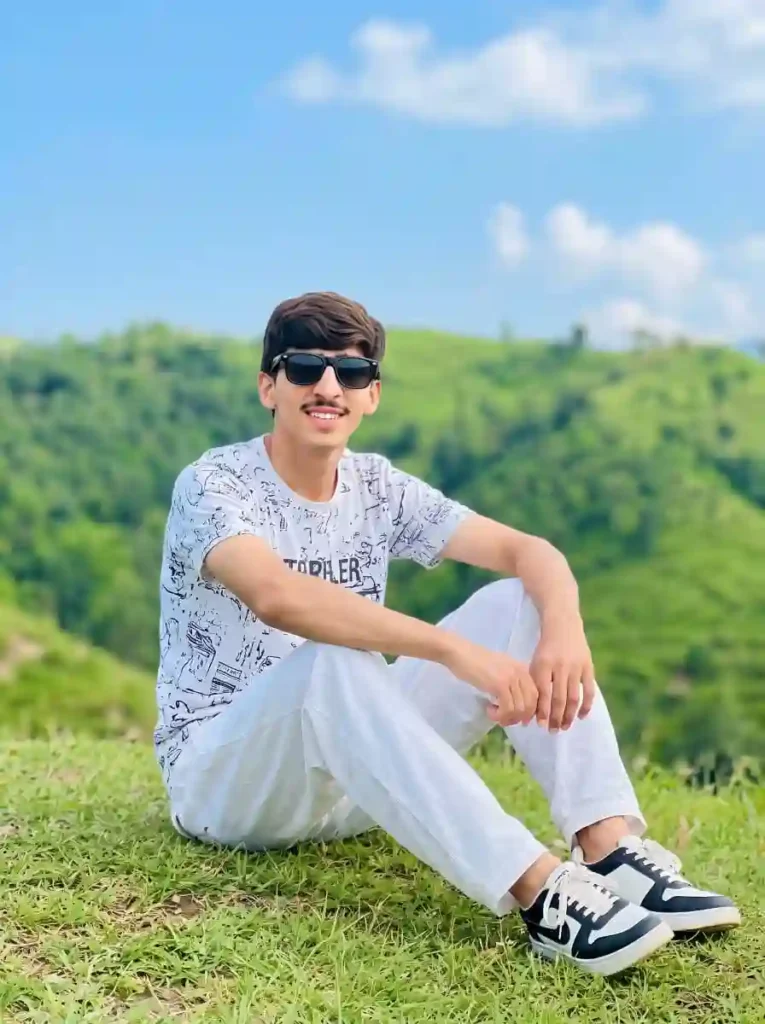
Want a photo like this without traveling to northern areas or paying a photographer? With Google Gemini AI, you can make this realistic picture in seconds.
Copy this AI photo prompt given below and paste it into Google Gemini AI with your own photo that you want to edit.
A realistic full-shot photo of a young Pakistani boy sitting relaxed on fresh green grass on top of a scenic lush green hill. He has neat dark hair, a light mustache, smiling gently, and wearing stylish black sunglasses. He is dressed in a white printed crew-neck t-shirt, casual white trousers, and black-and-white sneakers. In the background, breathtaking layered green hills and a bright blue sky with light fluffy clouds, crisp daylight photography, natural vibrant colors, ultra-realistic, 4K.
This AI prompt turns your normal photo into cinematic, wide shots in a single generation with the help of Google Gemini AI. You get a similar look to your own photo, no extra editing skills needed. In simple words, you can copy and paste the prompt and enjoy it.
What You Get With This Prompt
- Boy look & clothes: Pakistani young boy sitting on fresh green grass, wearing black sunglasses and wearing a white crew-neck T-shirt and casual white trousers.
- Background: Green grass on a hilltop with an open mountain cinematic scene.
- Lighting: Natural sunlight grabbing a scene look like a real camera shot.
- Size: Perfect vertical size photo for WhatsApp DP.
How to Use This in Gemini AI
- Click the copy button for this prompt
- Open the Google Gemini AI Website or App
- If you want to get the same result, then you need to upload your clear selfie as a reference.
- Paste the prompt into the Ask Gemini text box.
- Click on the Generate button and wait for Gemini to create your photo in a few seconds.
Tips for the Best Look
- Upload Your Clear Face Photo With Natural Sunlight
- Try 3 times if you don’t get the same result
- The photo should be clean and must show your face clearly